My passion for photography started over 48 years ago when I bought my first 35mm camera, a FED 4 rangefinder, for £36.95. That first camera sparked a love of photography that has stayed with me ever since.
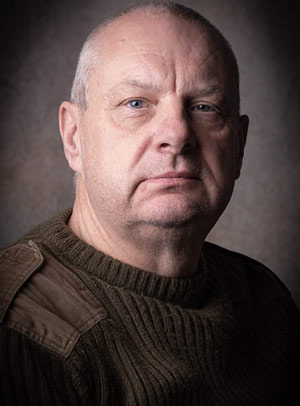
I enjoy photographing a wide range of subjects, particularly wildlife, landscapes and people. Over the past 12 months, I have challenged myself to focus more on portrait photography and develop my skills and knowledge of working in a studio environment.
I’m always looking to learn, experiment and improve my photography, whether I’m out capturing wildlife and landscapes or working with people in the studio.
⭐ Pro tip: Saying you found them via The Society of International Fashion and Glamour Photographers can help streamline your enquiry.
If a file locking problem, make sure the directory this script resides in is writable. Note, the directory does not have to be writable for the script to write to files, only for it to create files. File creation is required for proper file locking.
Windows NT systems:
sponsorban.cgi must be writable and accessible by the script
banner.cgi must be able to write to files and create files
On some NT systems, the variable near the top of banner.cgi must be set. It is currently set as follows:
$main::sponsorban_path = "sponsorban";
Note that under most systems, "." is fine. This specifies that it is set to the current directory. However, some NT systems require the full server path. Contact your system administrator to find the full path to your cgi-bin directory.
If you still have trouble, contact Banner@linc2u.com and I will attempt to help.
If a file locking problem, make sure the directory this script resides in is writable. Note, the directory does not have to be writable for the script to write to files, only for it to create files. File creation is required for proper file locking.
Windows NT systems:
sponsorban.cgi must be writable and accessible by the script
banner.cgi must be able to write to files and create files
On some NT systems, the variable near the top of banner.cgi must be set. It is currently set as follows:
$main::sponsorban_path = "sponsorban";
Note that under most systems, "." is fine. This specifies that it is set to the current directory. However, some NT systems require the full server path. Contact your system administrator to find the full path to your cgi-bin directory.
If you still have trouble, contact Banner@linc2u.com and I will attempt to help.

 Expires: Mon, 26 Jul 2001 05:00:00 GMT
Pragma: no-cache
Cache-Control: no-cache, must-revalidate
Content-type: text/html
Expires: Mon, 26 Jul 2001 05:00:00 GMT
Pragma: no-cache
Cache-Control: no-cache, must-revalidate
Content-type: text/html